Blogger | Softwares | Androids: Personalization

8/12/2015

Minima Pro Live Wallpaper Apk v2.4.1


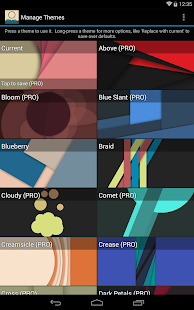
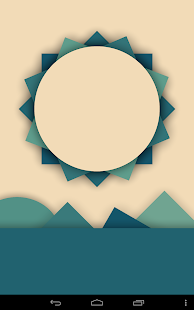
Minima Pro Live Wallpaper

+ Goes great with the slick Material Design elements of the newest Android OS version, Lollipop!
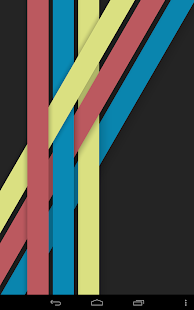
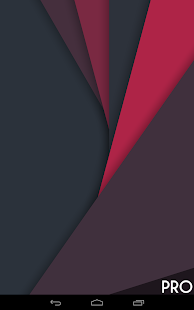
+ Shapes tilt and shift in 3D parallax motion as you move and scroll your device!
+ Over 60 hand-crafted themes!
+ Change colors to suit your taste!
+ Edit the built-in themes or create your own!
+ Let the Randomizer bring you a new theme once a day or even once a minute!
What’s in this version :
  • Brightness and Saturation
  • Added settings to tweak overall brightness and saturation
  • Added 2 new free themes, 4 in PRO
  • Inform user if Minima is not currently set
  • Fixed Apply Wallpaper bug on HTC devices
 Requires :Android 3.1 and Up
Minima Pro Live Wallpaper - screenshot thumbnailMinima Pro Live Wallpaper - screenshot thumbnailMinima Pro Live Wallpaper - screenshot thumbnailMinima Pro Live Wallpaper - screenshot thumbnail


8/09/2015

Miu – MIUI 6 Style Icon Pack v80.0 Cracked APK


It is a MIUI styled icons crafted keeping in mind the main goal: provide a complete, colourful, sharp and always updated icon pack. It’s a pleasure for eyes and it perfectly fits every phone. In order to use it you need a custom launcher.
Features
  • 2700+ HD Icons
  • 35 Cloud Wallpapers – if when applying it doesn’t perfectly fit your screen, please download them and then set manually
  • MIUI 6 Style Icons with a vivid color palette
  • Muzei Support
  • Behang Support for BLink
  • Icon Masking for unthemed apps
  • Frequent Updates
  • Dynamic Calendars
  • Alternative Drawer & App icons
  • Advanced Material Dashboard
  • Alphabetical Ordering in Nova Manual Icon Picker
  • Icons Request – note that only most requested ones will be added each week
  • Works with: Nova/Apex/Atom/Adw/Holo/Action/Trebuchet/Go/Smart/Unicon/Aviate/Next/Inspire/KK/Nine/TSF/Themer
  • Compatible with CM12 Theme Chooser
How to Install?
  1. Download apk file
  2. Install as usual
  3. Done and Enjoy! 😀

11/19/2014

Lollipop Theme Icon Pack v4 Apk


Lollipop Theme Icon Pack
This is an icon pack for it to work you need a launcher that accepts change icons.
Works with Launcher
  • Nova
  • Apex
  • ADW
  • Go Launcher ex
  • Inspire
  • Smart
  • Atom
  • Aviate
  • Solo
  • S Launcher
  • egame launcher
  • Slide
  • Winterboard
  • KK Launcher
  • Mini Launcher
  • Holo Launcher

How to install ?
  1. Download the apk file.
  2. No need to enter key.
  3. Install normally.
  4. Done ! :)


Propellerads
DOWNLOAD NOW Propellerads

10/11/2014

KK Launcher Prime (KitKat Launcher) v5.0


Requires Android : 4.0 and up
★ KK Launcher Features:
1. Support icon theme:
-- Find 1000+ of launcher icon pack from Google Play Store; compatible with themes of nova launcher,solo launcher,go launcher,apex launcher, etc
2. Handy Sidebar:
-- Include Memory cleaner; Quick toggle; Favorite apps, and Sidebar can be launched from everywhere
3. Highly customize:
-- Have 200+ of launcher options to tune your devices; options for grid size, app folder, 4 UI size mode, dock pages ...
4. Support color theme:
-- Customize icon color, shape, size as you want instantly
5. Support Ok,Google; Google Now page:
-- Enable OK Google from all KK Launcher screens(Android 4.4+); Support swipe right to Google Now
6. Support Android L:
-- Keep updating to latest Android L (Android 5.0)
7. Launcher Desktop:
-- Smooth animation; Wallpaper scrolling; 16 transition effect; 5 live wallpaper effect; Color wallpaper
8. Launcher Drawer:
-- Change grid size; Create folder; Hide app; 3 drawer style; 4 drawer sorting; Quick A-Z location bar
9. Transparent StatusBar:
-- For Android 4.4, and Galaxy S4,Galaxy Note; Transparent StatusBar Clone for Android 4.0-4.3
10. Gestures:
-- 15 desktop gestures; Icon gestures; folder gestures
11. Unread Counts:
-- For SMS, Call, Gmail


Propellerads
DOWNLOAD NOW Propellerads

2/25/2014

Apex Launcher Pro for Andriods


Powerful, fast, and highly customizable home replacement for Android 4.0+.
Apex Launcher helps you create a customized homescreen experience on your Ice Cream Sandwich (Android 4.0) device.
Features:
- Customizable homescreen grid size and up to 9 homescreens
- Scrollable dock with up to 7 icons per page and up to 5 pages
- Infinite & elastic scrolling (homescreen, drawer and dock)
- Fancy transition effects (tablet, cube, etc.)
- Hide elements as you want (persistent search bar, status bar, or even the dock)
- Customizable icons and labels for shortcuts and folders
- Choose different folder preview styles and background
- Multiple drawer styles (transparent/opaque, horizontal/vertical, paginated/continuous)
- Drawer apps sorting (title, install date, mostly used)
- Hide apps from the drawer
- Lock your desktop to prevent accidental changes
- Enjoy homescreen gestures (pinch, swipe up/down, double tap)
- Advanced theme engine (icon packs, skins, etc.)
- Backup/restore settings and data
- Optimized for both phones and tablets
- Lots of other customization options!
Apex Launcher Pro (Paid Version) Features:
- Multiple configurable drawer tabs
- Unread count notifications
- Dock swipe gestures
- Two finger gestures
- More transition effects
- ADW, LauncherPro, and Go Launcher theme support
- Batch add option for folders
- Option to merge folder contents
- Widgets in dock (1×1 only)
- Overlapping widgets
- More features on the way!
Note: Due to limitations of the Android framework, you won’t be able to add widgets from the app drawer without root access. If your device is rooted, please enable the Root Helper via Settings > Advanced settings > Enable Root Helper.
Tips:
- Pinch the screen to access screen previews (like Exposé or HTC Sense).
- Long press an icon to drag and drop it over another one to create a folder.
- Long press icons/folders on the desktop and choose edit from the popup menu to customize icons and labels.
- Drag, hover, and drop app icons over the delete button at the top of the screen to quickly uninstall apps.
- Long press an app in the hide apps list to quickly launch that app.
- Switch to single screen wallpaper mode to fix wallpaper zooming issues.
- Enable the Root Helper in advanced settings (root required) to add widgets from the drawer.

DOWNLOAD

2/21/2014

C Locker Pro For Andriods


C Locker Pro is an app to make beautiful your andriod lock screen.It also include very best new features.
So you can now custromize your lock screen as you want.

DOWNLOAD

2/12/2014

Nova Launcher Prime For Andriods


Shortly after Android 4.4 hit Nexus devices, a new beta of the popular Nova Launcher home screen added UI elements borrowed from the Google Experience Launcher. Now that version has hit the Play Store with some refinements and additional features. While the Google Now integration isn't possible with a third-party launcher, this is about as close as you'll get to the Kitkat look without going stock.
So you didn't get a Nexus 5 – that's okay. You can still get that shiny new KitKat look and feel with the new Nova Launcher beta. It won't get you all the way there (the transparent nav bar is limited, for example), but the new version of this third-party homescreen has a lot of little visual tweaks to make it look almost like the real thing.The Nova Launcher developer posted recently about the changes that were coming in light of KitKat, and now here we are.
DOWNLOAD

2/03/2014

Smart Launcher Pro for andriods


Smart Launcher is an innovative launcher, minimalist design, low resource and user-friendly interface which allows you to launch any application in a few keys.
It’s currently the only launcher of Play Store, which has a function of automatic sorting and cataloging of installed applications ! 
PRO version has a secondary screen where you can place widgets. There are also more transitions and colors to customize the home screen. By purchasing, you will contribute to the development of Smart Launcher and it will give you new features and updates.
Minimalist doesn’t mean under-features !
- Main screen with Quick Start
- Drawer organized by categories
- Ready to use without special configurations.
- Live Wallpaper Support
- It supports every screen and device (Google TV too!!)
- Widget support (PRO version only)
- Support of set of icons for ADW Launcher, Apex Launcher, Nova Launcher and Launcher Pro.
- Possibility to change a single icon in the drawer.
- You can hide every app you want by long pressing an app, then select menu → Hide.
- Quick search.
- Dozens and dozens of global themes, which will allow you to change all elements of the interface.
- Easy access to apps info. 
- Designed to be used comfortably also in landscape mode.
- Option to hide the statusbar. 


DOWNLOAD

7/25/2013

GO Launcher apk EX 4.0


GO Launcher apk EX the final choice for 90,000,000+ people. User voted best Android Launcher. Download it now to enjoy 10,000+ themes and experience the super speedy and smooth operation provided by powerful 3D core! As the best home screen replacement. It transforms your Android device into a great personal online user experience you can really control. It’s up to you.
■ Testimonials“ GO Launcher Ex took the top spot, bringing home over 37% of the overall vote. ” – Lifehacker (Releasing the result for the poll “What’s The Best Android Launcher”)“If you adopt GO Launcher EX as your default homescreen, you will use it all the time.” – Androidtapp“GO Launcher EX is perfect for people who are getting a bit tired of seeing the same old Android launch interface.

Click on "READ MORE" to Download


Copyright @ 2012-2015 Blogger | Softwares | Androids | Privacy Policy | SiteMap |

Designed by Nomi-King & Sponsored By Blogger-Authority